User interface
MaStro alters or add new features in several location of the user interface (UI) of Blender.
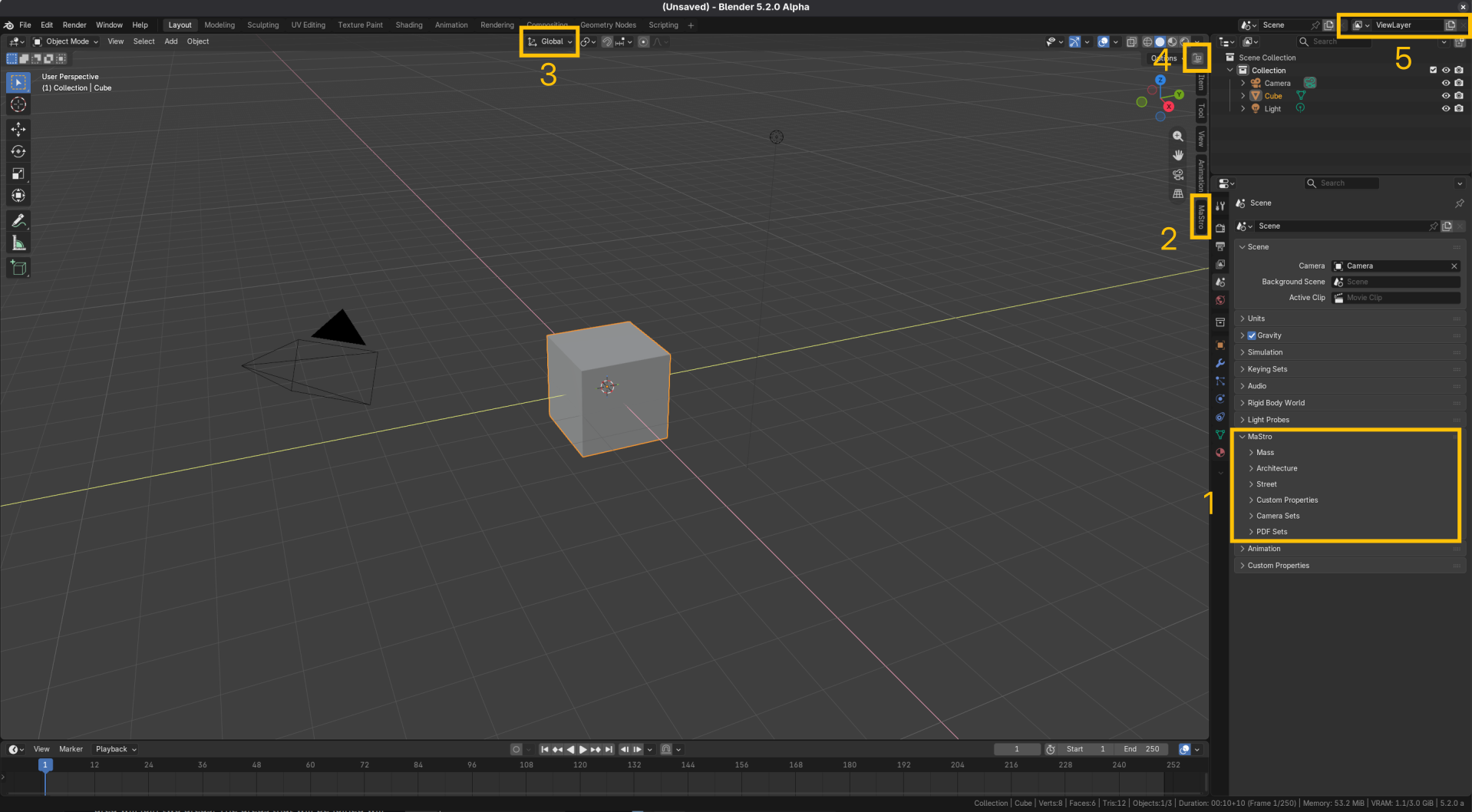
Some of this places are:
- The MaStro Panel in the Properties Editor
- The MaStro Panel in the View3D sidebar
- Menu in the center of the View3D header
- Menu at the right hand side of the View3D header
- The view layer manager in the Blender topbar
Some of these menues are dynamic and can change their context accordingly to the active object, or activated mode.
Note
Testo della nota.
Tip
Consiglio utile.
Warning
Attenzione a questo.
Reference
Mode: Object Mode
Menu: Object ▸ Set Origin